
Tutorial Level: Easy
OK, in Windows 10 when you click the little folder icon on the taskbar, it opens a folder called “Quick Access” which will display most commonly accessed files.
Some users though, prefer this icon to open “This PC” (or in old language “My Computer”).
Here is the simple tweak to change this.
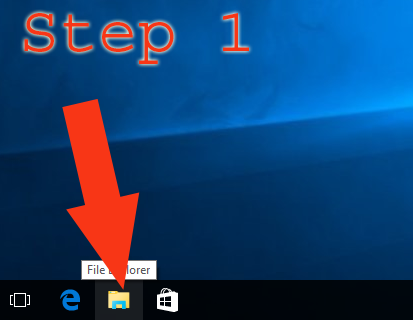
1. Click on the folder to open a window.
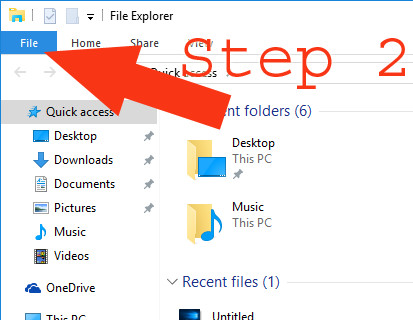
2. Click “File”
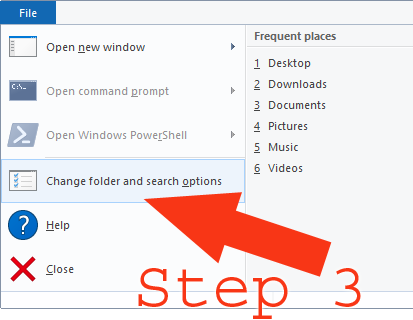
3. Click on “Change folder and search options”
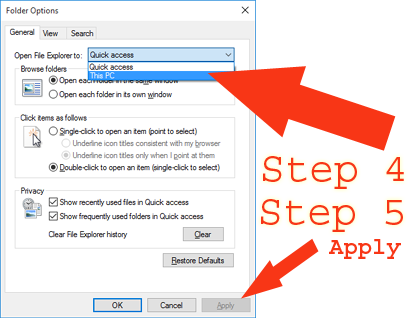
4. Change to “This PC”. 5. Apply.
Now when you click the folder icon it will open “This PC” instead.