
Support: Tutorial Level – Easy
If your email is getting bombarded with junk mail from the same sender, use the tools within your email provider to block future emails.
In this tutorial we will focus on Hotmail (Outlook, MSN, Live, etc)
Step 1
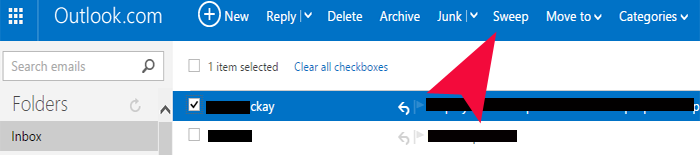
Tick the box to select the email you never want to see again.
Step 2
Press the Sweep button.

Step 3
Delete All From Inbox And Block Future Emails
Done – you will never receive emails from that sender again. Furthermore the sender’s email will be flagged as Junk and be added to Hotmail’s spam filters.
Other email providers have similar features. Roll your cursor over the various buttons at the top of your inbox to find out which button deals with Blocking.