
Tutorial Level: Basic.
How to remove your Windows 7 or Windows Vista user account password. The one that you may have to enter every time you switch on your computer.
If you need to restrict access to your computer, perhaps it is used in a public place or for parental control purposes then it might be worth having a password. Otherwise let’s face it, it’s just another thing to type in and do when you are starting your computer.
To remove the password: Start / Click The Picture Icon / Remove Your Password
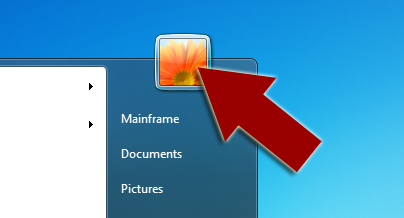
Step 1: Click Start – Then Click The Picture Icon At The Top Of The Start Menu

Step 2: Click “Remove your password”
If you decide to put your password back in repeat the process but there will be the option to “Create Password”.