
Support: Liquid Spillage On A Laptop – What To Do
If you spill a drink on your laptop, your immediate response will determine if it ever works again or whether the damage is permanent.
1. Unplug the DC mains charger plug from the laptop to isolate it.
2. Press and hold the power button to kill the power to the unit immediately (Clicking Start / Shutdown will take too long, we can worry later about getting Windows to load properly).
3. Remove the battery. Some newer models of Netbooks & Ultrabooks do not have removable batteries. Don’t worry too much about this right now.
4. Open the laptop lid / screen and turn it upside-down.
Finally & most importantly – Do not attempt to switch the unit back on for at least 24 hours! Whatever work you were busy on will have to wait or it could cost you an extra £400 for a new laptop. With most of the spillage repairs we get in, the real damage is done not by the initial spillage, but by the components shorting out by trying to switch the machine on too soon.
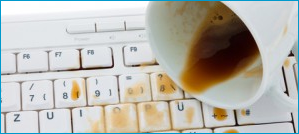
It’s easily done, but spilling liquid on a laptop doesn’t always mean end the of the road for the unit.
What you spill and how much of it you spill are major factors. The crucial point is to kill all power immediately and by turning the unit upside-down, this will allow the liquid to drain away from the motherboard of the computer and hopefully limit any long term damage.
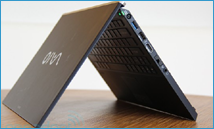
A keyboard can be replaced, a motherboard and processor cannot.
The contents of the liquid and how much, are relevant to the chances of long term damage. Liquid with sugar content or milk is bad news but if you follow the steps above quickly enough then you could save your laptop from permanent damage.
What to do next…
If it was a small quantity of water that was spilled on the laptop: After keeping the unit upside down for at least 24 hours to allow the liquid to evaporate, you can attempt to power up the computer. If it does not power up first time please disconnect mains and battery again, and bring it to the shop for repair (or send it to your nearest reputable computer technician if you have found this article on a search engine and are reading this somewhere else in the world).
Sugar content, alcohol, milk spillage – The computer will have to be opened up to complete the drying / cleaning process. Sugar will dry, heat and crystallize increasing the chances of short circuit. Please bring your computer in for repair or contact a reputable qualified technician in your area.